Your office Canon printer jams again. An employee removes the paper, restarts the machine, and printing resumes. But the same problem returns the next day. Should you continue using it, book a repair, or replace the printer?
This is a common decision for offices that depend on printers for invoices, contracts, reports, and customer documents.
Repeated errors can indicate anything from incorrect paper loading to worn mechanical parts. The right solution depends on the symptoms, printer condition, and repair cost.
This guide explains when canon printer repair makes sense, which problems need a technician, and how businesses in Abu Dhabi and Dubai can make a practical repair decision.
What to Remember
Repeated paper jams and printing errors do not always mean your Canon printer needs replacement. Identifying the fault, checking repair costs, and considering regular maintenance can help your office make the right decision.
Check basic printer issues: Inspect paper loading, tray alignment, and visible obstructions before requesting professional Canon printer repair.
Watch for repeated paper jams: Frequent jams in the same location may indicate worn rollers, damaged feeding components, or blocked sensors that require inspection.
Record printer error details: Note your Canon printer model, error codes, and when the problem occurs before contacting a technician for support.
Compare repair and replacement costs: Review repair estimates, parts availability, printer age, and equipment condition before deciding whether to repair or replace the machine.
Consider regular printer servicing: Routine maintenance can help identify developing problems and reduce avoidable interruptions in offices with frequent printing workloads.
A good printer repair decision starts with identifying the fault, understanding the cost, and checking whether the machine still meets your needs.
Identify the Problem Before Paying for Canon Printer Repair
Before booking a service, identify exactly what happens when the printer stops working.
Different symptoms require different solutions.
| Printer Problem | Possible Cause | Recommended Next Step |
|---|---|---|
| Paper jams in the same location | Worn rollers or blocked paper path | Check paper loading; request inspection if repeated |
| Printer says paper jam, but no paper is visible | Paper fragment or sensor issue | Check accessible areas; avoid dismantling |
| Faded or streaky documents | Toner, ink, printhead, or imaging issue | Check supplies and run recommended maintenance |
| Printer appears offline | Network or connection problem | Check connections and print queue |
| Unusual grinding noises | Possible mechanical damage | Stop printing and request inspection |
| Error code keeps returning | Model-specific fault | Record the code and contact a technician |
These are possible causes, not confirmed diagnoses. A technician may need to inspect the printer to identify the fault.
Repeated Paper Jams Need More Than a Quick Reset
An occasional paper jam does not necessarily mean your Canon printer needs professional repair.
First, check whether the paper is damaged, incorrectly loaded, or unsuitable for the machine. Make sure the paper guides are properly positioned and the tray is not overloaded.
If the printer works normally afterward, continue monitoring it. However, book an inspection if the same jam happens repeatedly, especially when paper stops at the same point.
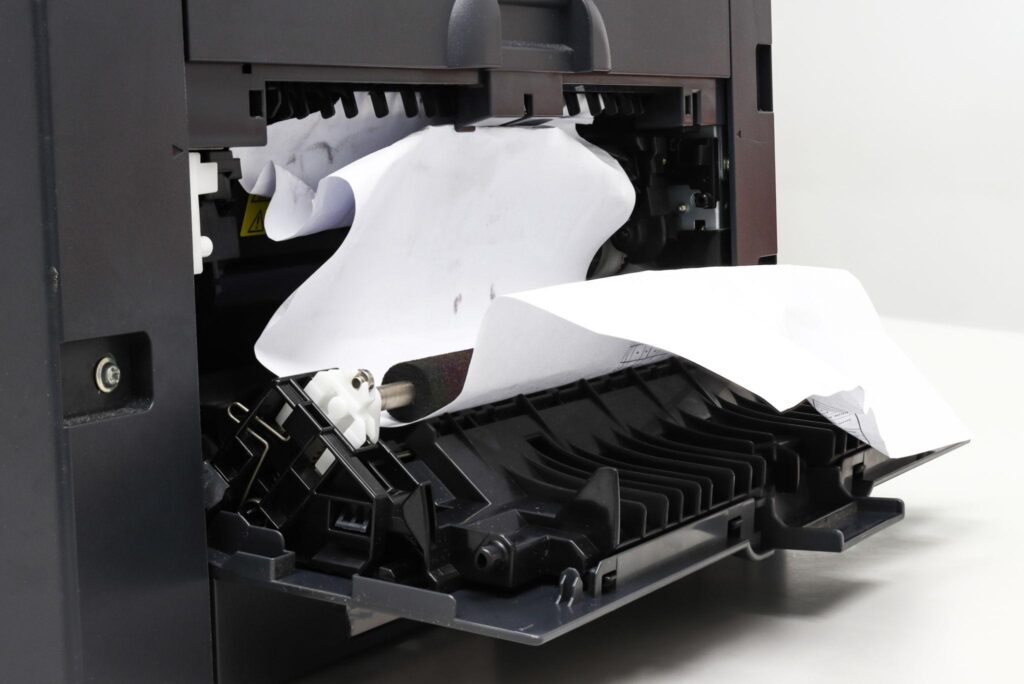
Worn pickup rollers, damaged feed components, or blocked sensors may require professional attention.
Avoid pulling stuck paper forcefully. Follow Canon’s instructions for your specific model, as incorrect removal can damage internal components.
ADAMS PRINTERS · CANON PRINTER REPAIR
Facing Repeated Canon Printer Paper Jams?
Is your Canon printer repeatedly jamming or interrupting daily office work? Contact Adams Printers to discuss paper feeding issues, worn rollers, error messages, and professional printer inspection and repair options in Abu Dhabi and Dubai.
How would you like to connect?
Canon Printer Repair or Replacement: Which Makes More Sense?
Not every faulty printer should be replaced, and not every old printer is worth repairing.
Consider these situations.
Repair May Be the Better Choice When
- The printer is relatively new and otherwise works properly.
- The problem involves one replaceable component.
- Replacement parts are available.
- The repair estimate is much lower than replacement cost.
- The printer still meets your office’s printing requirements.
For example, replacing worn paper pickup rollers may be more practical than buying another printer if the rest of the machine is in good condition.
Replacement May Be Better When
- The printer breaks down repeatedly despite previous repairs.
- Several expensive components need replacement.
- Important replacement parts are unavailable.
- Printing speed or capacity no longer meets office needs.
- The estimated repair cost approaches the cost of suitable replacement equipment.
There is no universal repair-cost percentage that works for every printer. Consider its age, expected remaining life, and ongoing operating expenses.
If replacement becomes necessary, review the essential features of office printers before choosing new equipment.
ADAMS PRINTERS · REPAIR OR REPLACE
Repair or Replace Your Canon Printer?
Unsure whether your Canon printer is worth repairing? Contact Adams Printers to discuss recurring faults, printer condition, replacement parts, and estimated repair costs. Explore suitable repair or replacement options for your office in Abu Dhabi and Dubai.
How would you like to connect?
Four Checks to Make Before Booking a Technician
A little preparation can make the service process easier.
1. Record the printer model. Find the exact Canon model number so the service provider can assess compatibility and parts requirements.
2. Note the error message. Write down the displayed code or take a photograph. Error codes vary between Canon models.
3. Explain when the problem occurs. Does the printer jam during every job, only during double-sided printing, or when using a particular tray?
4. Check whether basic troubleshooting helped. Tell the technician if you have already checked the paper, restarted the printer, or reviewed the network connection.
Businesses searching for canon printer repair near me should share these details when requesting service.
This information can help the technician prepare, although an on-site inspection may still be necessary.
Understand the Repair Cost Before Approving the Work
The price of printer repair depends on the fault, model, parts, and service requirements.
A connection problem may need configuration changes, while a mechanical issue could require replacement components.
Before approving a repair, ask the provider:
- Is there an inspection or call-out fee?
- What parts need replacement?
- Are parts and labour included in the quotation?
- Is there any warranty on the completed repair?
- What happens if the same problem returns?
Request a clear estimate before proceeding.
A professional printer repair service can help determine the fault and explain the available repair options.
If you are searching for printer repair near me, also confirm whether the provider services your office location and specific Canon model.
ADAMS PRINTERS · REPAIR COST ENQUIRY
Get a Quote for Canon Printer Repair
Concerned about Canon printer repair costs? Contact Adams Printers to discuss your printer model, error codes, inspection requirements, replacement parts, and labour charges. Request information about repair options and estimated servicing costs before approving the work.
How would you like to connect?
When Regular Maintenance Is Worth Considering
If your office prints large volumes every day, waiting until the printer breaks down may lead to avoidable interruptions.
Regular printer servicing can help identify worn rollers, paper dust buildup, and developing print-quality problems.
Maintenance frequency should depend on printing volume, the working environment, and Canon’s recommendations for the model. Businesses comparing ongoing support arrangements can explore printer leasing company in Abu Dhabi and Dubai options.
For additional guidance, read about printer maintenance in Abu Dhabi. Routine maintenance cannot prevent every breakdown, but it can help businesses detect problems before they become more disruptive.
Choose a Canon Printer Technician Based on the Actual Problem
Before booking a printer technician, confirm that the provider supports your specific Canon model.
Ask whether the team handles the type of fault you are experiencing, particularly if it involves paper feeding, internal hardware, or recurring error codes. It is also useful to confirm inspection charges, parts availability, and expected service arrangements.
Adams Printer Repair Service and Office Automation provides printer-related repair and maintenance solutions for offices in Abu Dhabi and Dubai.
When enquiring about canon printer repair, explain the symptoms and request information about inspection, servicing, and possible repair costs.
Make the Right Decision Before Replacing Your Canon Printer
Repeated paper jams and printing errors should not automatically lead to buying a new printer.
First, identify the symptoms and complete safe, basic troubleshooting. If the problem continues, request a professional inspection and compare the estimated repair cost with the value of keeping the machine.
Timely canon printer repair can be a practical option when the equipment is otherwise suitable for your office.
Get Canon Printer Repair Support in Abu Dhabi and Dubai
Dealing with repeated paper jams, error messages, or poor print quality? Adams Printer Repair Service and Office Automation can help you explore inspection, repair, and maintenance options for your office printing equipment.
Let’s Connect
Facing repeated paper jams, error messages, or printing problems with your Canon printer? Contact Adams Printer Repair Service and Office Automation to discuss Canon printer repair in Abu Dhabi and Dubai. Share your printer model, error codes, and fault details with our team to enquire about inspection, repair, maintenance, and possible servicing costs.
FAQs
Yes, if basic troubleshooting fails and an inspection identifies a repairable fault at a reasonable cost.
Yes. Worn or dirty rollers can affect paper feeding and may require cleaning or replacement.
A hidden paper fragment, blocked sensor, or mechanical issue may be responsible.
Some errors can be resolved through settings, driver, connection, or basic maintenance checks.
Stop if it makes unusual mechanical noises, repeatedly damages paper, or shows signs of overheating.
It depends on the repair estimate, parts availability, machine condition, and replacement cost.
Share the printer model, error code, symptoms, and troubleshooting steps already attempted.
Maintenance can reduce some causes of jams, but it cannot guarantee that jams will never occur.
Yes. Incorrect settings, connection failures, and print queue issues can interrupt printing.
Contact a service provider that supports your Canon model and request an inspection and quotation.